

Used laptops come with no return window. Whatever protection you get comes from the platform you bought on, the way you paid, or the ten minutes you spent looking before handing over money.
Those three are worth thinking about separately, because they don’t overlap much.
Online and in person are different problems
In person, you can check everything, but only once, briefly, and usually with the seller watching. What you can’t do is come back afterwards. Once you’ve paid and walked away, that’s the end of it in most private sales.
Online, you can’t touch the machine before buying, so the checks move to after delivery and the protection moves to the platform. eBay, Swappa, Back Market and similar all run buyer protection schemes with a claim window. Manufacturer-refurbished stock usually carries a real warranty and a real return period. That’s often the best trade-off available if you don’t want to inspect anything yourself.
The practical difference: in person, spend your effort on inspection. Online, spend it on choosing where you buy and how you pay, then inspect immediately on arrival while the claim window is open.
The checks that stop you buying a locked machine
These come first because they’re absolute. Everything else is a matter of degree; these decide whether the machine is usable at all.
Activation Lock on a Mac. An Apple Silicon or T2 Mac still tied to someone’s Apple Account cannot be used by anyone else, and no amount of erasing changes that. Ask the seller to erase it in front of you and take it to the setup screen. If it asks for an Apple Account during setup, walk away. There is no workaround.
Firmware or BIOS password. Boot the machine and check it doesn’t demand a password before the operating system loads.
MDM enrollment. Ex-corporate stock is often still enrolled in device management, which reapplies itself after a reset. If setup pulls down a management profile, only the original organization can release it.
Whether it’s stolen. Serial numbers can be checked against manufacturer support pages, which will at least tell you the machine’s warranty status and origin. A seller who won’t give a serial number in advance has told you something.
Any one of these is a stop, not a negotiation.
The checks that tell you what it’s actually worth
Assuming it’s a legitimate machine, the next question is how much life is left in it.
Battery. The most reliable single indicator, and the most expensive thing to be wrong about. Cycle count and full charge capacity against design capacity give you a real number rather than an impression: powercfg /batteryreport on Windows, System Report → Power on a Mac. Checking battery health covers how to read them. A battery at 70% of design capacity is a replacement cost you should be subtracting from the price.
Storage health. SMART data will show reallocated sectors or, on an SSD, total bytes written. A drive that’s been hammered is a fair reason to negotiate.
Physical wear that predicts failure. A hinge with play in it, a chassis that flexes, panel gaps that have opened up, screw heads that are chewed. Cosmetic wear is cosmetic; structural wear is a future repair.
Signs it’s been opened. Not automatically bad, since batteries and drives get replaced legitimately, but it should match what the seller told you.
Thermals. Let it run something demanding for a few minutes. A machine that’s been in a dusty environment for three years will tell you immediately.
Ten minutes of browser checks
The parts a browser can settle need no installation and work on someone else’s machine, which is exactly what you want in a coffee shop.
The list on this page exists as a working checklist: run down it at the handover and tick items off as you go. The full check takes the browser tests in order: display, keyboard, webcam, microphone, speakers, mouse or trackpad. On a used machine the display and keyboard results carry the most weight. A dead pixel or a failed key is permanent, and on a private sale it’s yours the moment you pay.
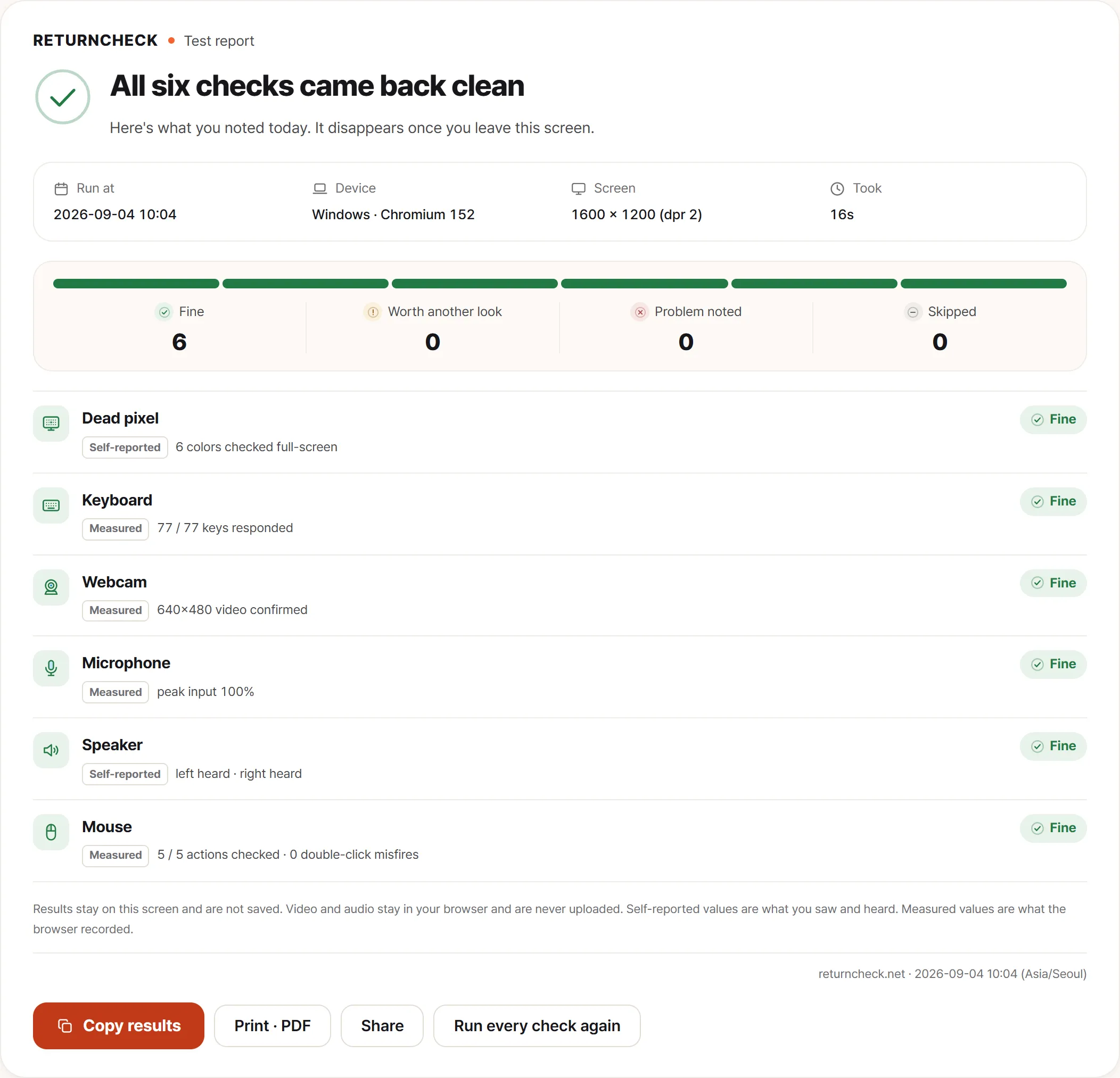
The summary is the useful part at a handover. Each item gets its own line, so you and the seller can look at it together and agree on what was checked while you’re both still standing there.
Do this before any conversation about price. It’s much easier to discuss a number when you can point at something concrete.
How you pay is a check
This is the part that gets skipped, and on an online purchase it’s often worth more than the inspection.
A credit card gives you chargeback rights. In the UK, Section 75 makes the card issuer jointly liable with the seller on purchases above £100, which is unusually strong protection. US cards have their own dispute processes.
PayPal Goods and Services carries buyer protection. PayPal “friends and family” carries none, which is precisely why sellers ask for it.
Bank transfer and cash have no recourse at all.
Platform escrow (the protection built into eBay, Swappa, and similar) only applies if the transaction stays on the platform. A seller steering you off-platform for a better price is removing your protection, and that’s usually the point.
The rule of thumb: if the way you’re being asked to pay removes your ability to dispute the transaction, treat that as a finding about the seller, not just a payment preference.
Write down what you found
Whether you buy or not, note the condition: the battery numbers, anything the checks flagged, marks on the case. If you buy, that record is your baseline for anything that gets worse later, and it’s what you’ll hand on when you sell it.
If you’re buying refurbished from a retailer with an actual return window, treat it exactly like a new machine: what to check on a new laptop applies unchanged, and the window is short.
A used phone runs on a different order entirely — far less time with the seller, and an account lock that no online tool can check for you. That list is in buying a used phone.