
Full check
Every check for your device, one after another. Stopping partway or skipping a step is fine.
How is this different from the single checks?
It runs the same tests. What it adds is not letting you forget one. On a device you just unboxed you don't yet know where the fault is, and picking checks one at a time is how one or two quietly get skipped. Here the order is fixed and the step counter stays in view, so finishing the flow means nothing was left out.
Before you start
- Set aside about ten minutes. Leaving the page loses your progress.
- The webcam and microphone steps ask for browser permission. Video and audio are handled inside your browser and never uploaded.
- The speaker step plays a tone. Turn the volume down a little first.
- Starting the flow asks which device you are on first. Keyboard and mouse need a laptop or PC and touch needs a phone or tablet, so you only get the checks that fit what you picked.
Start the full check
About 10 minChecks in a fixed order, so none of them slips past you.
Stopping partway is fine
Skip or stop, and what you noted so far stays on screen.
Nothing is saved
Leave this screen and none of it is kept.
It stays in your browser
Everything runs on your device and nothing is uploaded.
· Enter starts it too
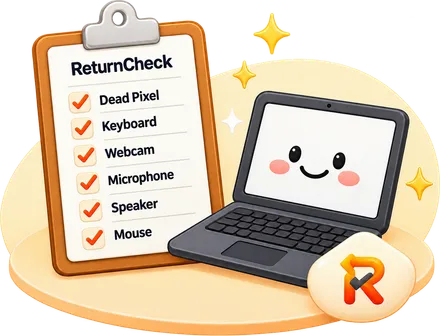
The order at a glance
Dead pixel
Solid colors to spot pixels and tint
Keyboard
Every key press and its response
Webcam
Camera picture and resolution
Microphone
Input level and whether sound registers
Speaker
Left and right played separately
Mouse
Cursor movement and click response
What needs permission
- WebcamCamera access is required.Permission
- MicrophoneMicrophone access is required.Permission
- SpeakerNo permission needed, only the volume turned up.No permission
While you run it
- The counter at the top shows which step you are on.
- Pick a result for a step and the 'Next check' button opens up.
- Skipping works, but going through the whole flow is better.
- If something looks off, the single-check page goes into more detail.
Computer and phone
The flow assumes a computer. Open it on a phone and the keyboard and mouse steps become a short note instead, while everything else runs normally.
The order you'll go through
Want just one of them? Each single-check page has the detail.
- 1.Dead pixel
- 2.Keyboard
- 3.Webcam
- 4.Microphone
- 5.Speaker
- 6.Mouse
Read up on each check
Where do the results go
Nowhere. They're gone once you leave the screen. There is no account and no server storage. So if you want to keep what you found, use Copy, Print or Share on the results screen.
This isn't a verdict
ReturnCheck never tells you a product is defective. It helps you write down what you saw and heard, and stops there. The call — and the conversation with the seller — is yours, which is why you pick the result for each step yourself.